Who can get a school ticket on their mobile?
Students who
- has turned 15 years old
- has been granted free school transport
- attends lower secondary school or upper secondary school in Akershus
- wants to use a mobile phone instead of a travel card
Is the student 13 or 14 years old?
The guardians must then fill out a consent form and submit it to the school. Contact the school to obtain the form.
Having the school ticket on a mobile phone is optional. The student can still choose to have the school ticket on a travel card.
How to get your school ticket on your mobile
1. Select ticket on your mobile
- Upper secondary:Check the box for mobile ticket when you apply for school transport in theportal for school tickets.
- The youth school: The school applies for and checks off mobile ticket in the portal for school tickets.
You need the Ruter app to use a school ticket on your mobile. If you don’t already have the app, download it and create a profile.
Important: Use the same phone number in the app as the one given in the application. If the number is not correct, you will not be able to activate the ticket.
3. Activate the ticket
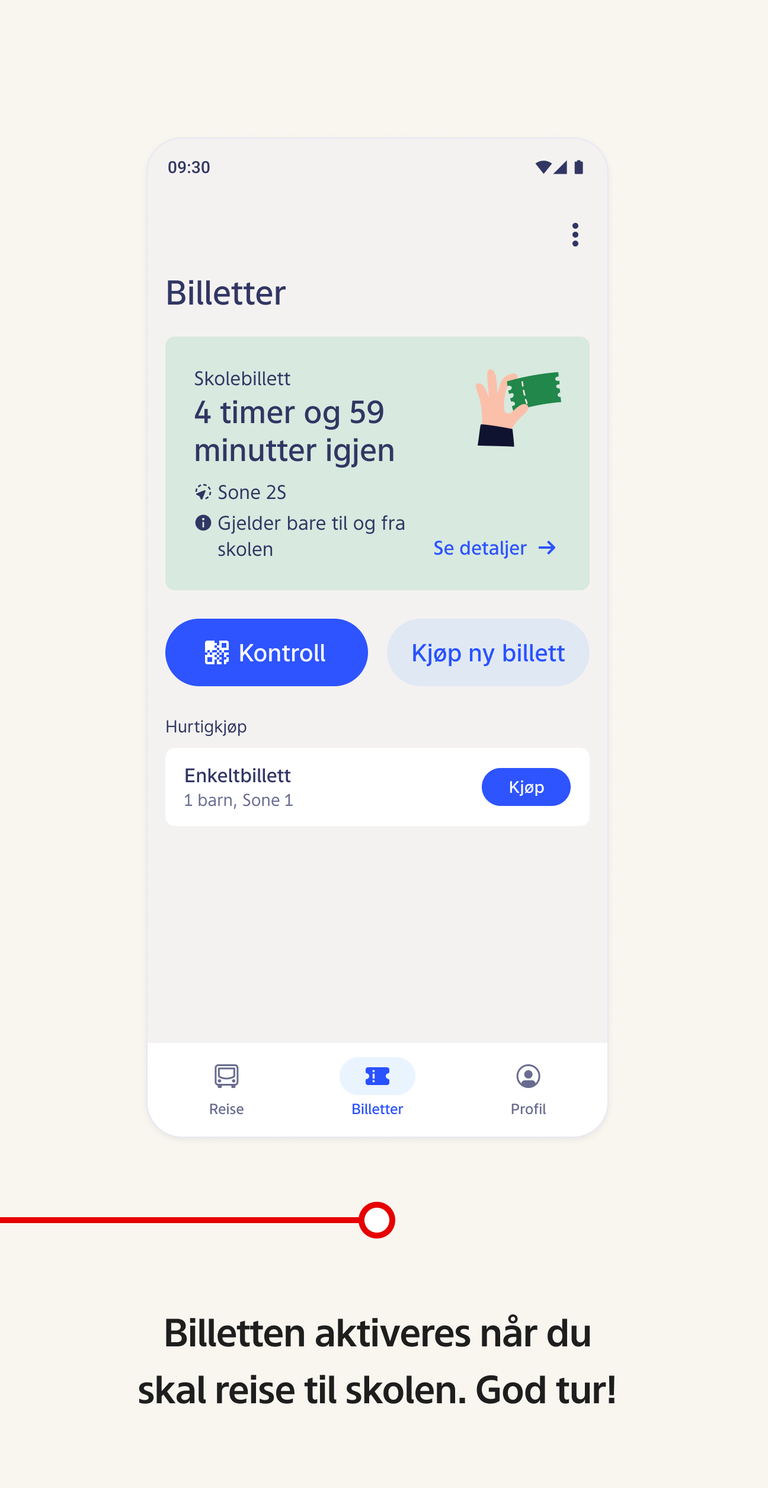
When school transport has been approved and the ticket is ready, you will receive an SMS with a link to activate the school ticket. Follow the link in the SMS. Afterwards, the ticket will be available in the Ruter app under “Tickets”.
This is what a valid school ticket looks like:
Do you need help?
You can find answers to common questions under Questions and answers about school transport. You can also call customer service on 24 20 20 33 or use the contact form below.
Use our contact form